Browse documentation
Workflows and skills
Create and manage skills
Install, enable, create, import, edit, test, and organize reusable skills for your account.
Last reviewed September 17, 2026
The Skills area separates skills you can explore from skills installed for your account. A skill must be installed and enabled before it can guide normal work.
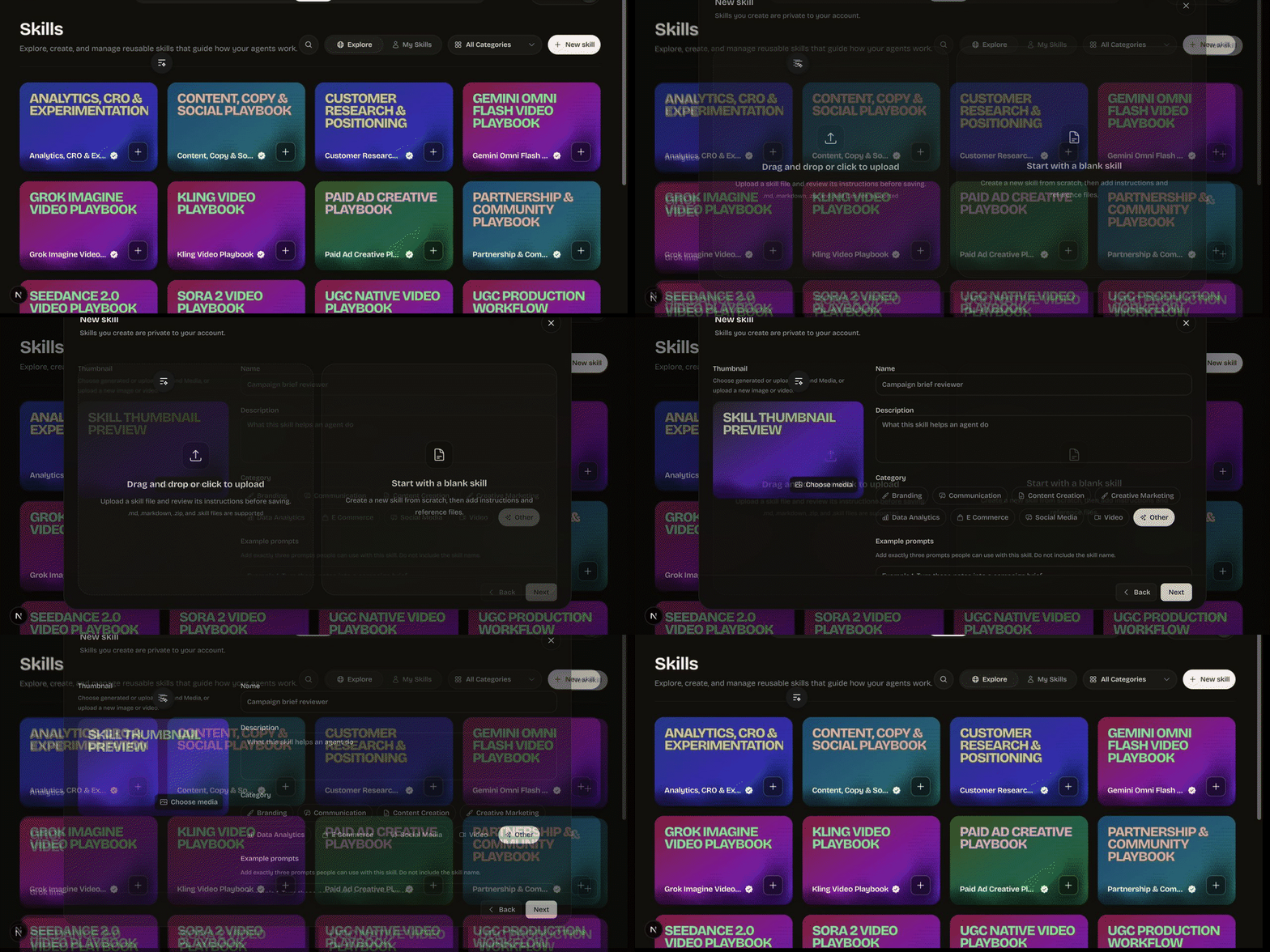
Explore and install
Search or filter the available catalog, open a skill, and review its description, instructions, example prompts, and reference files. Install and enable only the playbooks you want available. Disable a skill when you want to keep it installed without letting it influence current work.
Create a skill
Choose New skill to start from a blank skill or import an existing package. Give it a specific name and description, choose a category, write the main Markdown instructions, and add up to three representative usage examples.
You can add a thumbnail and supporting Markdown reference files. References should contain material the instructions genuinely need, not a dump of unrelated documents. Skills you create are private to your account.
Supported import choices shown by the current editor include Markdown, ZIP, and skill package files. Always review imported instructions and references before saving or enabling them.
Write effective instructions
Explain when the skill applies, the outcome it should produce, the decisions it should make, required inputs, a useful sequence, quality checks, and boundaries. Prefer observable guidance over vague phrases such as “make it professional.”
Keep volatile facts out of the skill. Current campaign details belong in the request; brand-specific facts belong in brand context; model availability belongs in the live catalog.
Test and maintain
Use Try now or an example prompt to open a relevant workspace and evaluate the behavior. Test normal cases, missing inputs, and requests that should not activate the skill. Edit the skill when the process changes, disable it during revision, and delete only when you no longer need the private definition.
Read Skills explained for the conceptual boundaries.